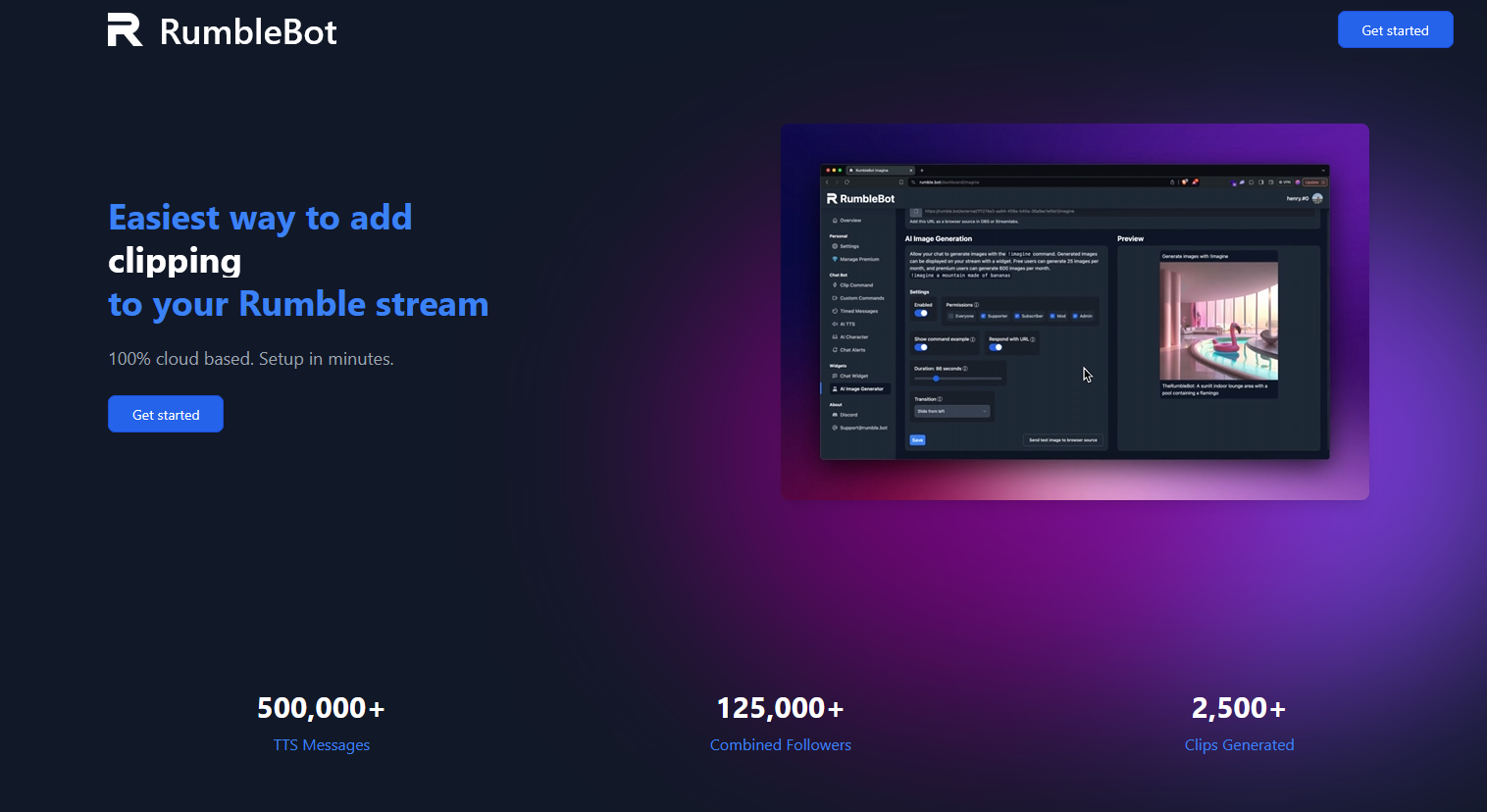
What Is RumbleBot? A Full Breakdown of the Chat Automation Tool Built for Rumble Creators

Live streaming on Rumble continues to grow, and that’s where RumbleBot comes in.
(Not to be confused with RUM Bot that we will discuss later)
The RumbleBot is a dedicated bot system built specifically for Rumble streamers, designed to add many of the features creators expect from mature streaming platforms—things like chat moderation, custom commands, instant clipping, TTS, AI-powered interaction, and stream-enhancing automation. Developed by the same team behind Kickbot.
For streamers who want to make their broadcasts feel more interactive, more organized, and more professional, RumbleBot fills a major gap.
RumbleBot is free to use, with a premium option available for more customization and more advanced features. Let’s also clarify that it is NOT a “View bot.”
But what exactly does it do?
Let’s break it down.
What Is RumbleBot?
RumbleBot is essentially a live chat assistant and automation platform.
Think of it as your stream’s invisible moderator, utility manager, and engagement engine.
Its primary purpose is to help creators:
- automate repetitive tasks
- moderate chat in real time
- improve viewer interaction
- create shareable moments faster
- add personality to the channel
Instead of manually managing every part of a live chat, RumbleBot handles much of the busy work.
That lets creators focus on content.
And that’s huge.
Especially for solo streamers.
The Core Features of RumbleBot
RumbleBot focuses heavily on practical stream management.
Here’s what it offers.
1. Custom Chat Commands

One of the most essential tools for any livestream.
RumbleBot allows creators to build custom commands that trigger when viewers type certain phrases.
Examples:
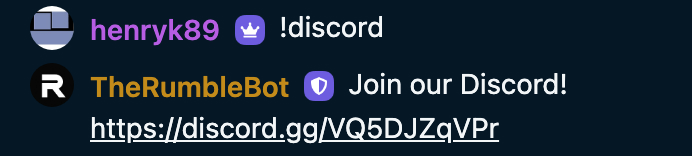
!discord
Instantly posts your Discord invite.
!schedule
Shows your streaming times.
!donate
Provides support links.
!socials
Displays all social media links.
This solves a common problem:
Viewers constantly ask the same questions.
Instead of repeating yourself, the bot handles it.
That keeps chat cleaner and your stream moving.
2. Timed Messages

This is another major feature.
Timed messages let the bot automatically post announcements on intervals.
For example:
Every 15 minutes:
“Follow the channel so you don’t miss future streams.”
Or:
“Join the community Discord.”
Or:
“Check out today’s sponsor.”
This is important because many viewers join mid-stream.
They may miss your intro.
Timed messages make sure everyone gets important information.
Without you manually typing it.
3. Instant Clip Creation

This is one of the strongest features.
RumbleBot allows viewers to trigger clips directly from chat using commands like:
!clip
This captures moments from your stream and generates shareable links.
Why this matters:
Clips are content fuel.
They can become:
- short-form reels
- TikToks
- YouTube Shorts
- promo videos
- viral highlights
Without clipping tools, creators often lose great moments.
RumbleBot makes capturing those moments immediate.
And viewer-driven.
That increases community participation.
4. Text-to-Speech Integration

RumbleBot includes TTS (text-to-speech).
This allows viewer messages to be read aloud during streams.
This creates stronger engagement because:
- viewers hear their messages live
- streamers can react instantly
- donations and important messages stand out more
TTS has become a standard expectation in many streaming communities.
It adds energy.
And sometimes chaos.
Which viewers love.
5. AI-Powered Character Bots

This is one of the most unique features.
Instead of basic robotic responses, RumbleBot can act like an AI personality inside chat.
That means:
- custom personalities
- roleplay interactions
- dynamic responses
- humor-driven engagement
Imagine a sarcastic co-host.
Or a fantasy NPC.
Or a chaotic gremlin that responds to chat.
That’s the kind of functionality this enables.
It adds an entirely new layer of stream identity.
And that can help creators stand out.
How RumbleBot Works
The setup process is fairly straightforward.

Step 1: Connect your Rumble channel
The bot links to your account and API, so make sure you’ve set that up in your Rumble settings.

This gives it access to live chat.
Step 2: Configure your features
You can enable:
- moderation tools
- commands
- TTS
- clip triggers
- AI responses
Everything is customized through the dashboard.
Step 3: Assign permissions
Not every viewer should have access to everything.
You can usually configure:
- moderators
- subscribers
- VIP users
- general viewers
This helps prevent abuse.
Step 4: Go live
Once active, the bot runs in the background during streams.
It monitors chat.
Responds instantly.
Executes commands.
And automates tasks.
Why RumbleBot Matters for Rumble Creators
Rumble’s livestream ecosystem is still evolving.
That creates opportunities.
But also limitations.
Compared to Twitch, Rumble has fewer native moderation and automation tools.
RumbleBot helps close that gap.
It gives creators:
- better chat control
- more automation
- better content capture
- more interactive communities
For growing channels, these tools can significantly improve retention.
And retention matters.
A lot.
Who Should Use RumbleBot?
RumbleBot is ideal for:
New streamers
If you’re just starting, automation reduces stress.
Solo creators
Handling chat alone is difficult.
The bot acts like a second set of hands.
High-chat channels
Fast-moving chats need moderation support.
Comedy and personality-based creators
AI personalities and TTS can become part of the entertainment.
Clip-focused creators
If your growth strategy relies on short-form content, clipping is essential.
Pros of RumbleBot
✔ Built specifically for Rumble
✔ Strong automation features
✔ Instant clip generation
✔ AI personality integration
✔ TTS support
✔ Better viewer engagement
✔ Reduces creator workload
Potential Limitations
–Learning curve
New users may need time to configure everything.
–No overlay alerts.
Many streamers want a gif or video to play, but that function isn’t available here.
–Depends on chat activity
Some features become more valuable with active communities.
–Third-party dependency
As with any bot, uptime and reliability depend on the service.
Final Thoughts
RumbleBot is one of the more interesting creator tools emerging in the Rumble ecosystem because it focuses on something every streamer needs:
better chat management and stronger viewer interaction.
It doesn’t try to be everything.
Instead, it focuses on:
- automation
- moderation
- engagement
- clipping
- personality
And it does those things well.
For creators trying to grow on Rumble, that’s a powerful combination.
Because the easier it is to manage your stream, the more energy you can put into creating moments worth watching.